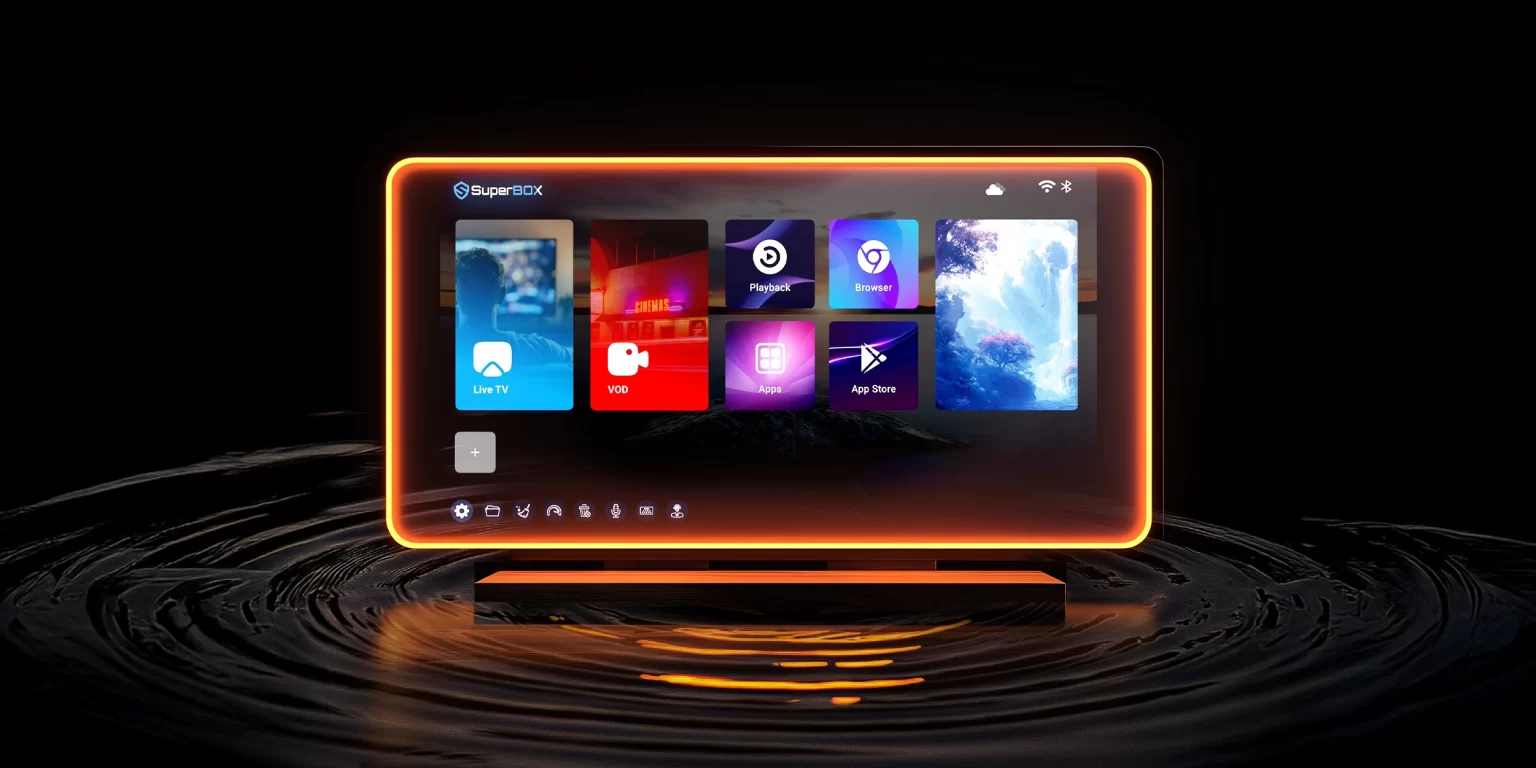
How to Download (Set Up) New SuperBox Apps?
SuperBox continues to upgrade its system to deliver a better and more complete entertainment experience. With the latest update, SuperBox S6 and S7 series devices now support several newly added apps, offering users even more content options.
In this guide, you’ll learn how to update the SuperBox App Store and download the latest SuperBox apps. We’ll also explain which models are supported, how many exclusive apps are available, and the key features of each new app.
Supported Models
The new SuperBox apps are exclusively available on the following models:
-
SuperBox S6 Ultra
-
SuperBox S6 Max
-
SuperBox S6 Pro
-
SuperBox S7 Pro
-
SuperBox S7 Max
-
SuperBox S7 Ultra
-
SuperBox S7 Prime
These models fully support the latest App Store updates and new applications.
Installation Instructions
Installing new SuperBox apps is quick and easy. Whether you’re using a brand-new device or an existing one, follow the instructions below.
For Brand New Boxes
-
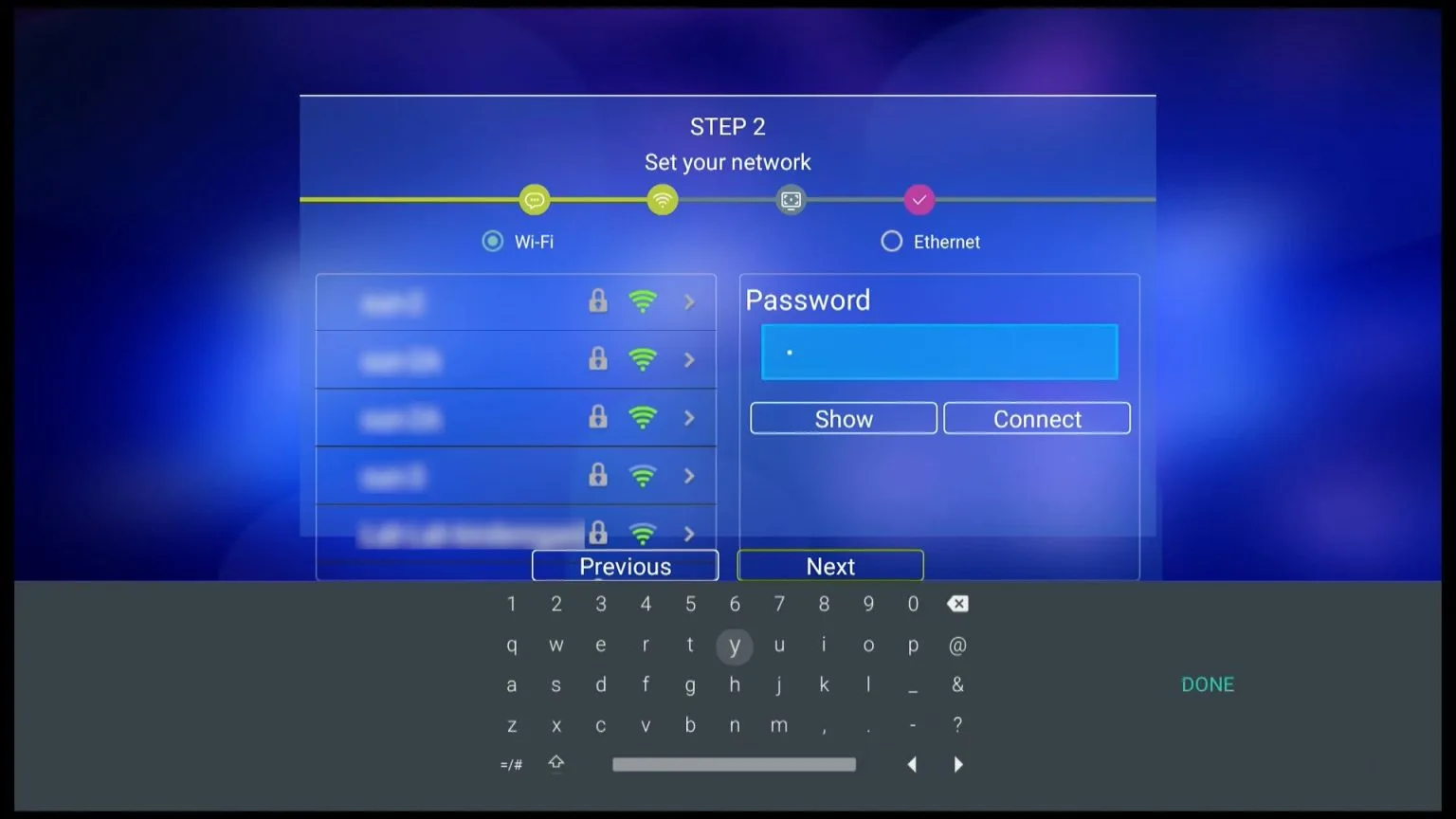
Power on SuperBox
Turn on your SuperBox and connect it to a WiFi network.
-
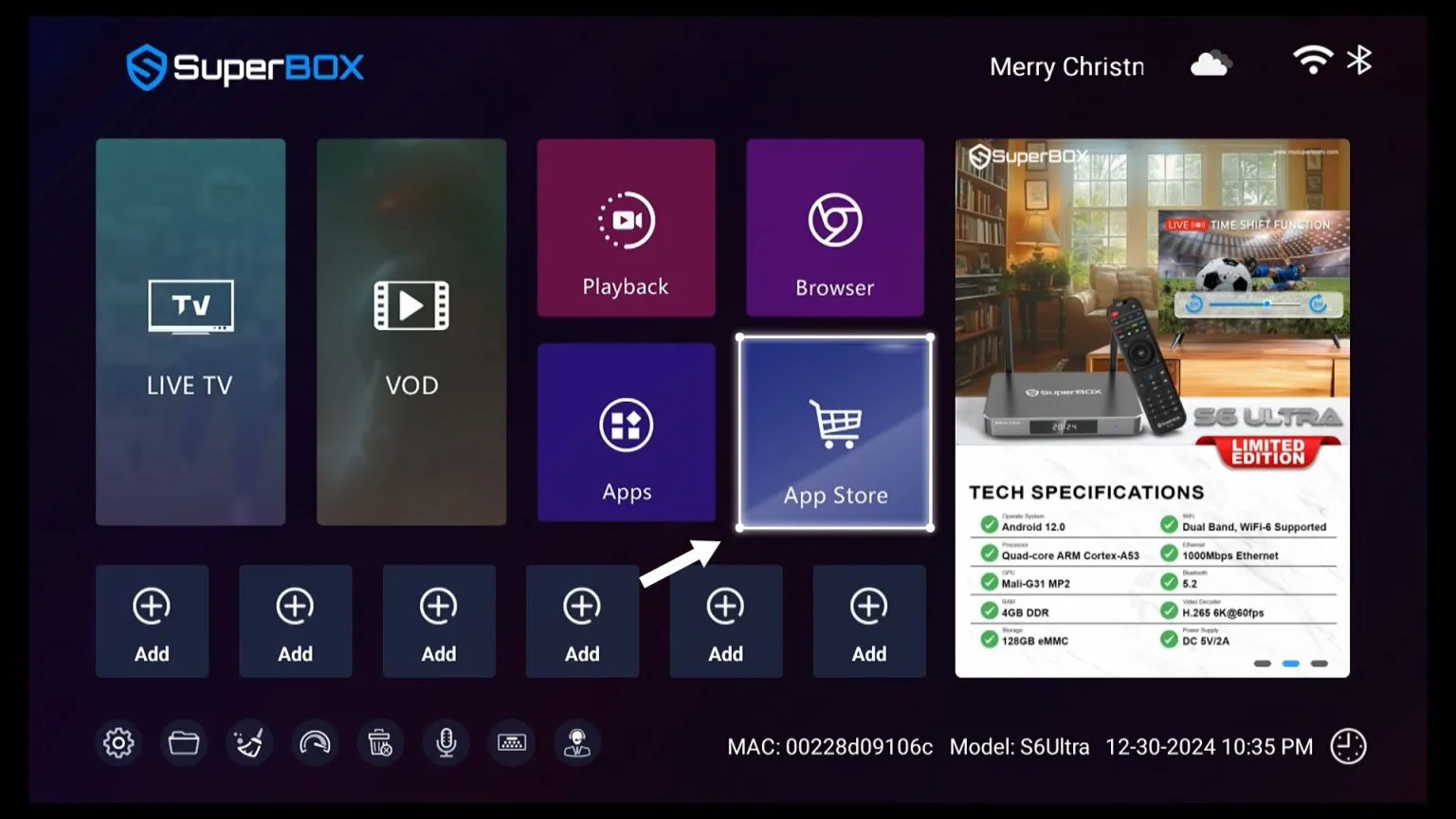
Open the App Store
Locate and select the App Store icon on the home screen.
-
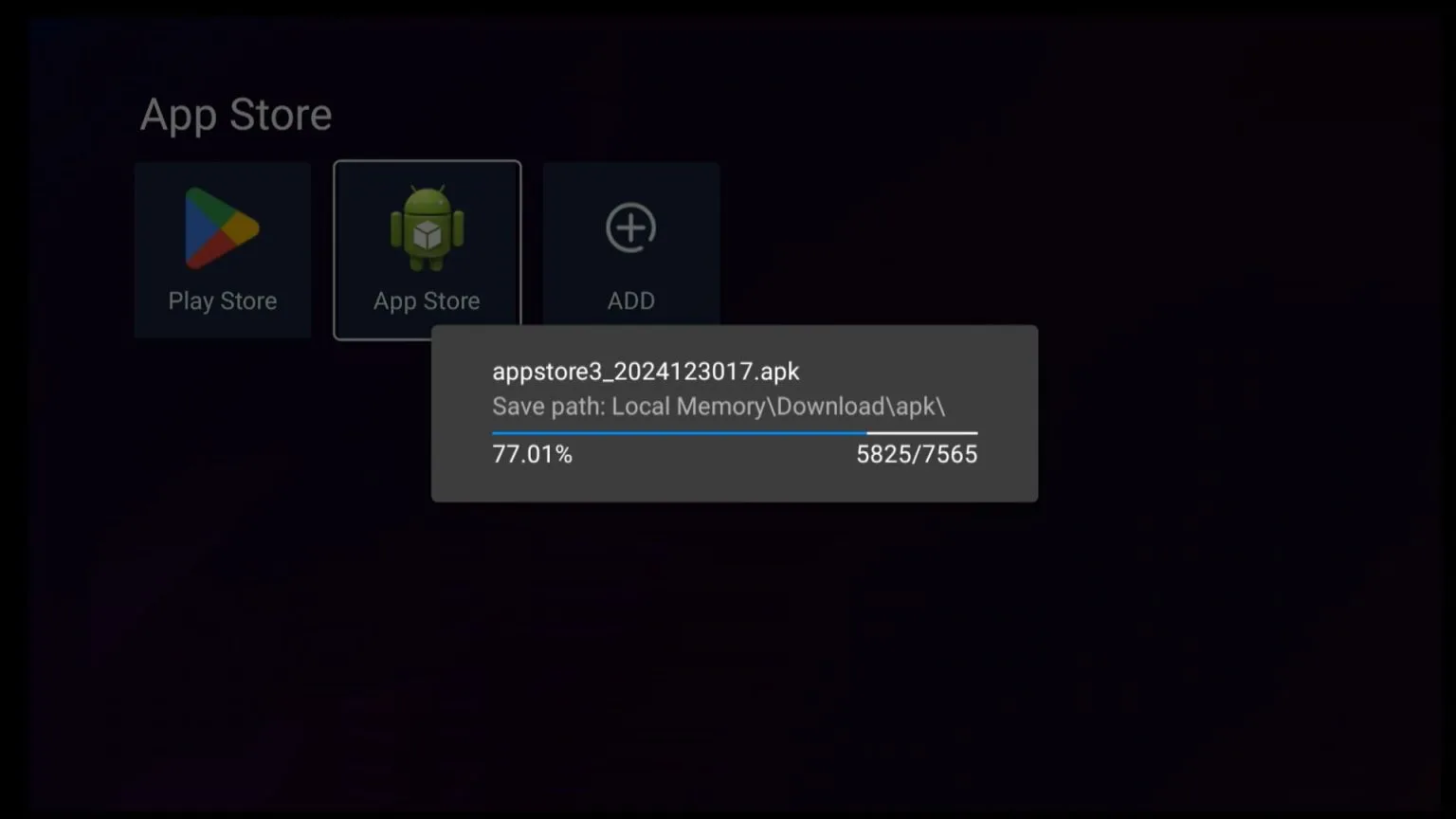
Download the App Store
Click the App Store icon and wait 5–10 seconds for it to download.
-
Download Your Preferred Apps
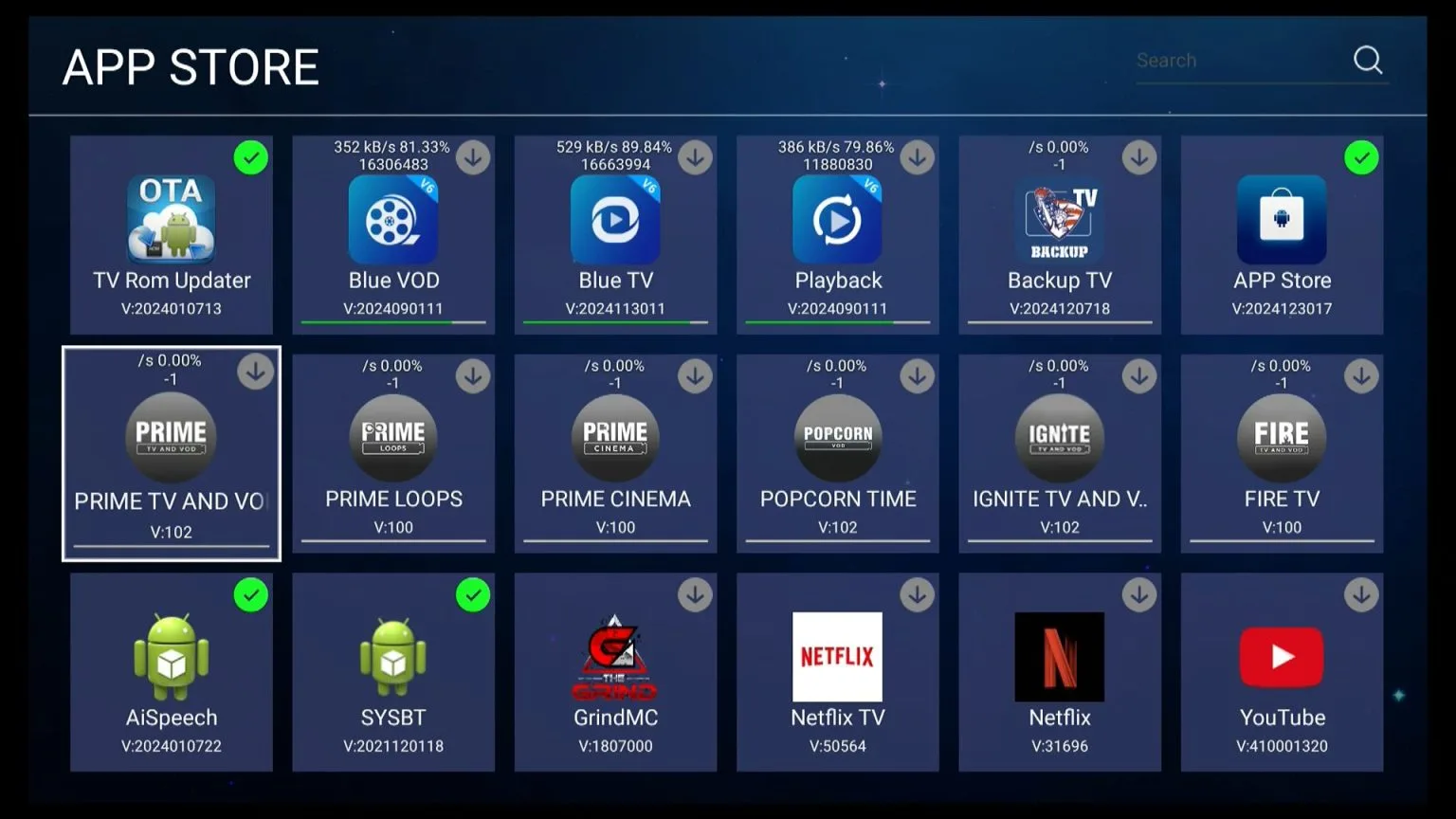
You will see 4 Blue apps and 9 newly added apps. Select and install the apps you want.
For Boxes Already in Use
In case you need detailed instruction, watch this video:
-
Open the App Store on your SuperBox.
-
Click the App Store icon to update it to the latest version.
Current version: V:2025010418 -
Once updated, the new apps will automatically appear.
-
Select and download the apps you wish to use.
Important Notes (Updated 2026)
-
Third-Party Apps
The newly added SuperBox apps are third-party applications. They are not developed, owned, or operated by SuperBox. These apps are optional bonus features and free to download. -
Stability & Technical Support
Since these are not official SuperBox apps, SuperBox cannot provide technical support for issues related to them. Performance and stability depend entirely on third-party providers. -
Login or Expiration Messages
If an app requires login, shows expiration notices, or asks for activation codes, this usually indicates a temporary issue on the provider’s side. The only solution is to wait for the provider to resolve it. -
Content Updates
Some apps are still being updated and optimized. While most functions work normally, further improvements may be released over time. -
Troubleshooting
If the new apps do not appear after updating the App Store, try restarting or resetting your SuperBox. You may also contact SuperBox support for assistance.
New Apps Available on SuperBox (2026)
The 2026 update introduces a new selection of SuperBox-compatible apps, giving users more entertainment choices than ever.

How Many Exclusive Apps Are Available on SuperBox?
SuperBox includes 4 core Blue apps:
-
Blue TV
-
Blue VOD
-
Playback
-
Backup TV
With the latest update (January 21, 2026), 7 additional apps have been added:
-
Prime Worldwide
-
Prime TV & VOD
-
Prime Loops
-
Prime Cinema
-
Popcorn Time
-
Ignite TV & VOD
-
Fire TV & VOD
All apps are free to download and compatible with supported SuperBox models.
What Are the Features of New SuperBox Apps?
Some of the newly added apps offer access to over 30,000 live channels, movies, and TV series, covering global content, live TV, movies, and on-demand programs.
Prime Worldwide
-
4,015+ live TV channels worldwide
-
135 Canadian channels
-
207 Latino channels
-
Sports packages including NFL+, NBA+, ESPN+
-
Channels from Australia, Caribbean, Europe, and more
Prime TV & VOD
-
Live TV: 545+ adult channels
-
Movies: 28,340+ movies, including 780+ new 2024 releases
-
Series: 7,520+ TV series across multiple categories

Prime Loops
-
1,970+ channels across 17 categories
-
Includes Adult, Netflix-style channels, Anime, Comedy, Drama, Action, and Crime
Prime Cinema
-
Movies: 28,340+ titles including new releases and adult content
-
Series: 7,520+ TV series sorted by genre
Popcorn Time
-
24/7 TV: Continuously updated
-
Movies: 22,125+ titles filtered by year and country
-
Series: 8,231+ series available in 4K quality
Ignite TV & VOD
-
Live TV: 1,600+ channels across multiple categories
-
Movies: 1,480+ movies
-
Series: 260+ popular and trending series

Fire TV & VOD
-
Live TV: 13,780+ channels from over 20 countries
-
Movies: 13,170+ titles
-
Series: 6,540+ series across various genres
Where to Buy SuperBox at the Best Price?
To ensure authenticity, warranty coverage, and the latest updates, always purchase SuperBox from an authorized seller or official distributor.